
Trying a modern data tool on your own machine is rarely about the tool. Writing Iceberg tables from Flink needs a catalog, the catalog needs a database and object storage, Avro on Kafka needs a schema registry, and every piece needs the right connector jars, ports and network settings. Most of an afternoon goes into making them talk to each other before you write a line of your own code.
odctl removes that work. It is a command-line tool that runs a set of open-source data and machine learning services on your laptop with Docker, already connected to each other. You say what you want, for example Kafka and Flink, and it starts them together with everything they depend on. It has now reached 1.0, with a documentation site that has a guide for every service.
[Update 2026-10-16] dynamic-des is now desflow (0.20.0). The code and commands below use the new name: pip install desflow, import desflow and the desflow command.

What It Runs
odctl groups the services into profiles, and you start the profiles you need. Each profile brings its dependencies with it, so odctl up flink-lite also starts the Iceberg REST catalog, with PostgreSQL and SeaweedFS (S3 storage) behind it, ready for Flink to write Iceberg tables.
| Area | Technologies | Profiles |
|---|---|---|
| Messaging | Kafka, Karapace schema registry, Kafka Connect, Kafka UI | kafka-lite, kafka-full |
| Stream and batch processing | Apache Flink, Apache Spark | flink-lite, flink-full, spark-lite, spark-full |
| Analytics | ClickHouse, Trino, Metabase | ch-lite, ch-full, trino, metabase |
| Orchestration | Apache Airflow, Temporal | airflow, temporal |
| MLOps | MLflow, Feast, Evidently | mlflow, feast, evidently |
| Metadata and lineage | OpenMetadata, Marquez | metadata, lineage |
| Observability | OpenTelemetry Collector, Prometheus, Tempo, Loki, Grafana | telemetry |
| Storage and catalog | PostgreSQL 18 with pgvector, pg_textsearch and PostGIS, SeaweedFS, Iceberg REST catalog, Valkey, Apache Fluss | postgres, storage, catalog, valkey, fluss |
The -lite profiles run one broker or worker and fit on a laptop. The -full profiles run a small cluster, three Kafka brokers or three Flink TaskManagers, when you want to see how a tool behaves with more than one node.
The services are already wired together. Kafka Connect ships with the Iceberg sink, the Debezium PostgreSQL source and the JDBC and S3 sinks. Flink, Spark and Trino use the same Iceberg catalog, so a table one engine writes is a table the others read. Every service reports metrics, and Grafana has a dashboard for each one.
What You Can Use It For
- Learning a tool with a realistic setup. Write Flink SQL against a real Kafka topic with Avro schemas, or query Iceberg tables from Spark and Trino, without assembling the setup yourself.
- Building a pipeline end to end. Change data capture from PostgreSQL with Debezium, Kafka to Iceberg with Flink, then ClickHouse or Trino on top, all on one machine. The Debezium and Flink SQL leaderboard posts are complete examples.
- Machine learning workflows. Features in Feast, training and model serving in MLflow, scheduling in Airflow and drift reports in Evidently. The air quality forecast series uses Feast, MLflow and Airflow together. For online learning, the product recommender updates a model in Flink as clicks arrive on Kafka and serves it from Valkey.
- AI applications. Hybrid search with pgvector and BM25 in PostgreSQL, vector search in Valkey, and Temporal for workflows that wait for a person to approve an agent’s action. The agentic analytics system runs its lakehouse on odctl.
- Demos and tests that run anywhere. A project can say which profiles it needs, and anyone can run it from a fresh clone. The Benchtop projects and the integration tests of desflow work this way.
Getting Started
You need Docker with 8 to 16 GB of memory, and Python 3.10 or later.
1uv tool install odctl              # or: pipx install odctl
2
3odctl list                         # every profile and what it runs
4odctl up flink-lite --dry-run      # what would start, in which order
5odctl up kafka-lite flink-lite     # start Kafka and Flink with their dependencies
6odctl ps --all                     # the running containers and their ports
7odctl down --all                   # stop everything
Each service is on 127.0.0.1 at a fixed port, for example Kafka UI at http://127.0.0.1:8086 and the Flink UI at http://127.0.0.1:8082. odctl explain <profile> prints the addresses for a profile.
To change a memory limit, a port or the Python packages a container installs, run odctl init. It copies the configuration into a .odctl folder in your project, and odctl uses that copy from then on.
A Guide for Every Service
The documentation at jaehyeon.me/odctl has 18 guides, from producing to Kafka and running Flink SQL to serving a model from MLflow and cataloguing a database in OpenMetadata. Each guide uses the commands odctl’s own tests run before every release, and shows what you should see.
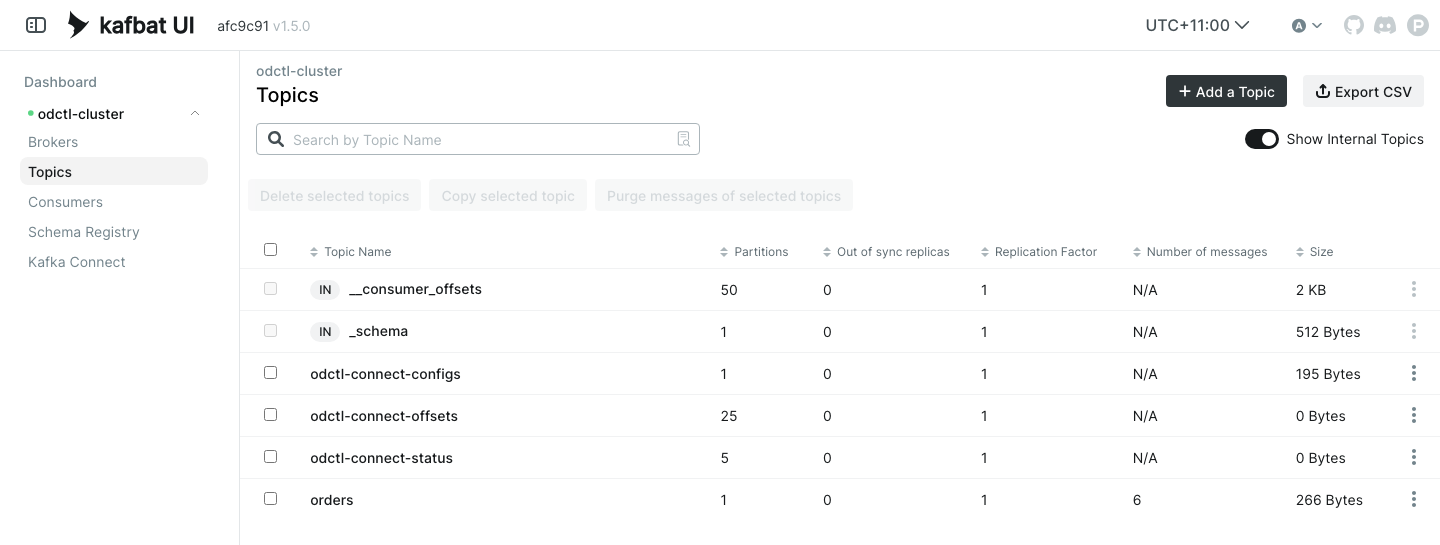
The site also explains how a profile starts and where its data lives, and has a page for each area with every profile’s images, ports and memory limits.
New in 1.0
Since the first post in July, odctl has gained Feast, Evidently and Temporal, MLflow model serving, a dashboard for every service, and a PostgreSQL with keyword and geospatial search. Version 1.0 adds the documentation site, and fixes the commands, profile names and ports for the whole of 1.x, so a project that depends on odctl>=1.0,<2 keeps working as odctl is updated.
Related Posts
- Data Streaming and Machine Learning Projects That Run on Your Laptop - the Benchtop projects, each run on odctl from a fresh clone
- Defining Data-Streaming Simulations in YAML, Without Writing Python - generating the test data these services process
- Productionizing an Online Product Recommender using Event Driven Architecture - a recommender that learns from clicks, with Kafka, Flink and Valkey started by odctl
- Building an Agentic Analytics System over an Iceberg Lakehouse - an agent answering questions over Iceberg tables, with Trino, the catalog, object storage and Valkey started by odctl
Try It Out
- Documentation: jaehyeon.me/odctl
- GitHub: jaehyeon-kim/odctl
- PyPI: pypi.org/project/odctl
It is licensed under Apache 2.0, and contributions are welcome.


Comments