Change Parameters While a Simulation Runs
Every parameter of a run has a path in the registry, and a new value sent to that path takes effect without restarting the run. This guide shows how to find the path, and how to send a value from each source. Live Parameters explains what happens to the value once it arrives.
Changing a parameter takes three steps:
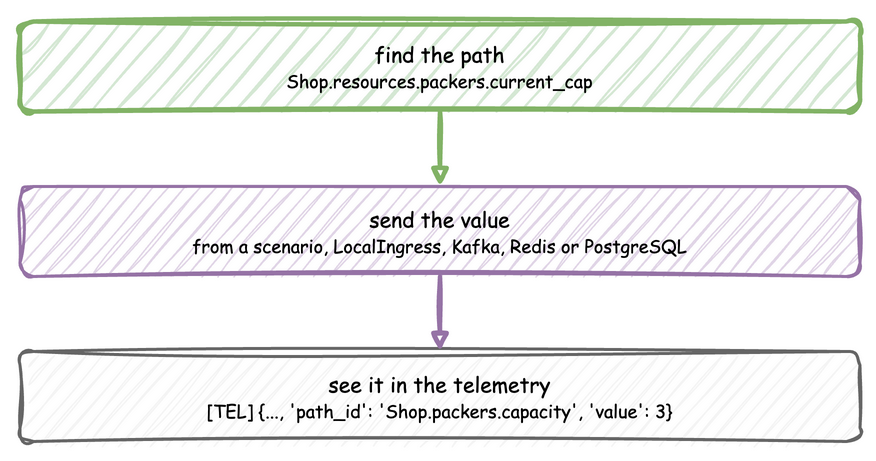
Find the path
A path is the sim_id, the kind of parameter, its name and the field, such as Shop.resources.packers.current_cap or Shop.arrival.orders.rate. Registry paths lists every form.
A path that does not exist is logged as a warning and ignored, so a misspelt path changes nothing. compile_parameters() returns the parameters a SimulationContext will register, which shows the names to use:
A YAML scenario is checked when the file is loaded, so a misspelt path there stops the load with its line.
Send the value
Each source suits a different job.
| Source | Use it for | Lands at |
|---|---|---|
A YAML scenario |
An experiment that must repeat exactly | The exact simulation time given |
LocalIngress |
A local run with changes after set wall-clock delays | A wall-clock delay from the start |
KafkaIngress, RedisIngress, PostgresIngress |
An operator or another program steering a running twin | When the message arrives |
A process calling env.registry.update |
A change that depends on the state of the simulation | When the process makes it |
Kafka
KafkaIngress reads JSON messages with path_id and value from its topic. The Kafka example listens on sim-config. KafkaAdminConnector.send_config publishes such a message, and the example's dashboard uses it. This function sets the packers capacity of the running example:
"""Sets the packers capacity of the running Kafka example.

`KafkaAdminConnector.send_config` publishes `{"path_id": ..., "value": ...}` to the
topic `KafkaIngress` reads, `sim-config` in the example. Call `set_packer_capacity(3)`
while the example runs.
"""

import asyncio

from desflow import KafkaAdminConnector


def set_packer_capacity(value: int) -> None:
    admin = KafkaAdminConnector(bootstrap_servers="localhost:9092")
    asyncio.run(
        admin.send_config("sim-config", "Shop.resources.packers.current_cap", value)
    )
Redis
RedisIngress reads JSON messages with param_path and param_value from a Pub/Sub channel. With the Redis example running:
docker exec -it valkey valkey-cli --user user --pass password PUBLISH simulation_params '{"param_path": "Shop.arrival.orders.rate", "param_value": 10.0}'
PostgreSQL
PostgresIngress polls a table, simulation_params by default, and applies each row not yet applied. With the Postgres example running:
docker exec -it postgres psql -U user -d odctl -c "INSERT INTO simulation_params (param_path, param_value) VALUES ('Shop.arrival.orders.rate', '5.0');"
The row stays in the table, marked as applied, so the table keeps the history of every change. A restarted run applies the latest value of each path first.
A scenario
A blueprint lists its changes under scenario, each with the simulation time it applies at. Script an experiment shows a complete file. A scenario and an ingress connector can run together, so a scripted baseline can run while an operator steers over Kafka.
Watch it land
A change is easiest to confirm in the telemetry. Publish the parameter you change, such as the packers' capacity:
@app.telemetry_loop(interval=2.0)
def packer_metrics(context):
    context.publish("packers.capacity", context.get_resource("packers").capacity)
In a blueprint, the same entry is {interval: 2.0, publish: {packers.capacity: packers.capacity}}. A change to an arrival rate shows as a change in how many events arrive in each interval rather than as a value of its own.