Airflow DAGs from S3
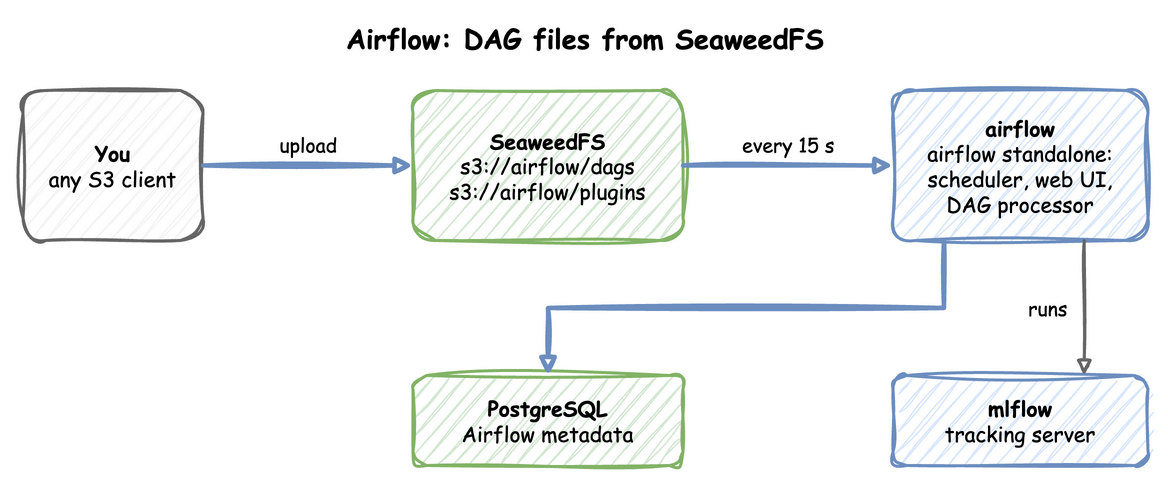
The airflow profile runs airflow standalone in one container against odctl's PostgreSQL. It reads DAG files from s3://airflow/dags on SeaweedFS, so you deploy a DAG by uploading it. No volume or sync container is involved. The end-to-end tests run the steps below on every release.
This guide builds on Getting Started. Look at the left of the diagram: DAG files go to SeaweedFS, and Airflow reads them from there.
Start the profile:
| docs/snippets/airflow-dags/commands.sh:up | |
|---|---|
| Endpoint | Address |
|---|---|
| Web UI and REST API from the host | http://127.0.0.1:8085, user user, password password |
Web UI and REST API inside the odctl network |
http://airflow:8080 |
| DAG folder | s3://airflow/dags on SeaweedFS |
Upload a DAG
Any S3 client pointed at http://127.0.0.1:8333 with key user and secret password can upload. This uses boto3 inside the Airflow container to write the DAG hello, with one task that runs echo hello:
The upload prints nothing. Airflow checks the bucket every 15 seconds and then parses the new file. The interval is set today by refresh_interval in AIRFLOW__DAG_PROCESSOR__DAG_BUNDLE_CONFIG_LIST in .odctl/compose-orch.yml, where an edit can change it.
Run It
New DAGs start paused. Wait until the DAG is listed, then unpause it, trigger it and list its runs:
| docs/snippets/airflow-dags/commands.sh:run | |
|---|---|
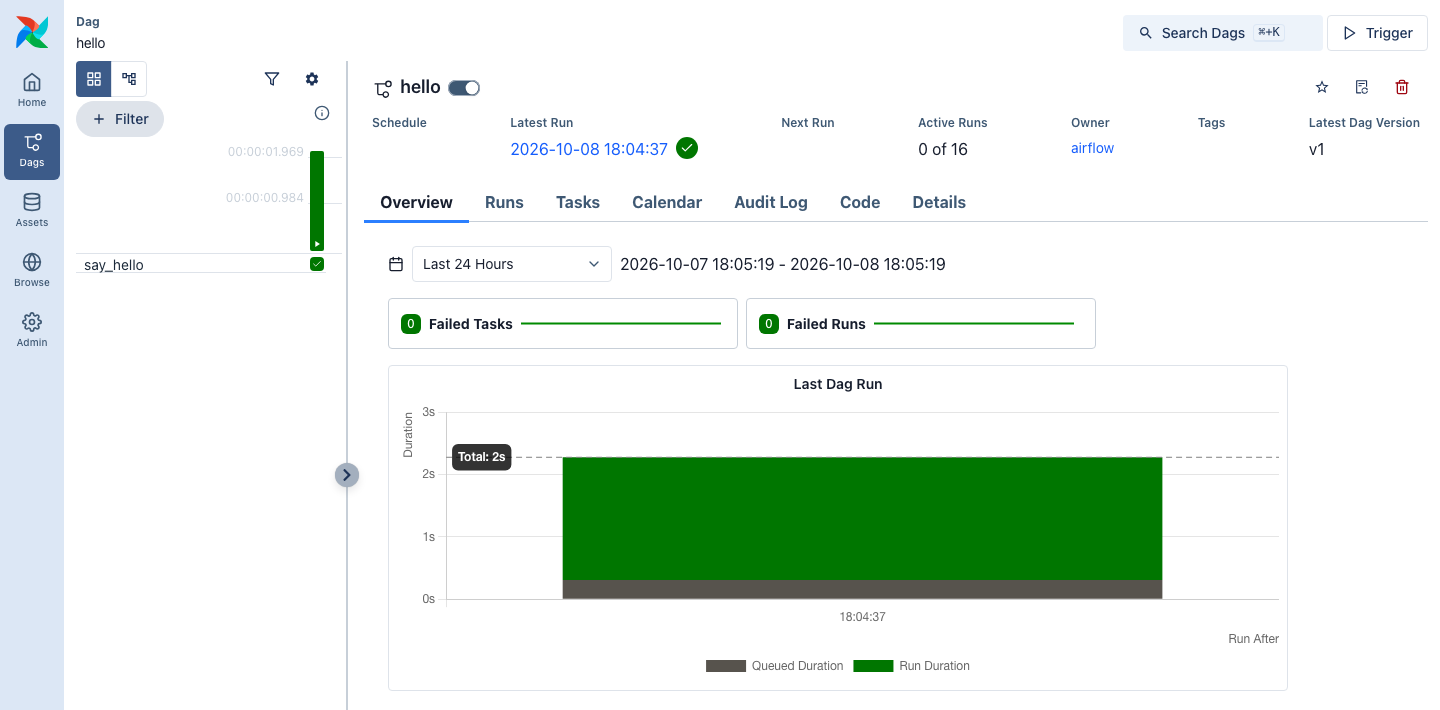
The first command prints the hello line of the list. The last lists the run with its run_id, such as manual__2026-10-24T04:55:03.340843+00:00, in state queued or running, and listing it again a few seconds later shows success. The DAG page shows the run and the say_hello task.
Plugins and Packages
Plugins are copied from s3://airflow/plugins when the container starts, because Airflow loads plugins only once. Run odctl restart airflow after changing one.
Tasks already have the MLflow and Feast clients, and MLFLOW_TRACKING_URI points at the mlflow profile. How It Works shows how to install extra Python packages with _AIRFLOW_PIP_DEPS.
From Another Container
Inside the odctl network, the Airflow API is http://airflow:8080, and tasks reach SeaweedFS at http://seaweed:8333 and MLflow at http://mlflow:5000.
Runnable Example
Save this file as example.sh and run it with bash example.sh in the folder that holds your .odctl workspace. It runs the steps above and waits for each one:
It prints the hello line from airflow dags unpause and then the run, in state success.