ClickHouse
ClickHouse is a column-oriented database for analytical queries. A shard holds part of a table's rows, and each replica of a shard holds a copy of that part. ClickHouse Keeper is the coordination service that keeps the replicas of a shard in step. The ch-lite profile runs one shard with two replicas, ch-11 and ch-12, coordinated by ClickHouse Keeper in ch-keeper. ch-full adds a second shard, ch-21 and ch-22. The end-to-end tests run the commands below on every release.
This guide builds on Getting Started. Start the profile:
| docs/snippets/clickhouse/commands.sh:up | |
|---|---|
| Endpoint | Address |
|---|---|
| HTTP from the host | http://127.0.0.1:8123 (ch-11) and http://127.0.0.1:8124 (ch-12); ch-full adds 8125 (ch-21) and 8126 (ch-22) |
| Native protocol from the host | 127.0.0.1:9000 (ch-11) and 127.0.0.1:9001 (ch-12); ch-full adds 9002 (ch-21) and 9003 (ch-22) |
| Users | default and user, both with the password password |
Every server creates the feature_store and odctl databases when it starts with no data.
Create a Table and Query It
clickhouse-client is in each server container. This lists the databases, then creates a table, writes 10 rows and counts them:
The first command lists default, feature_store, odctl and the system databases. The last prints 10.
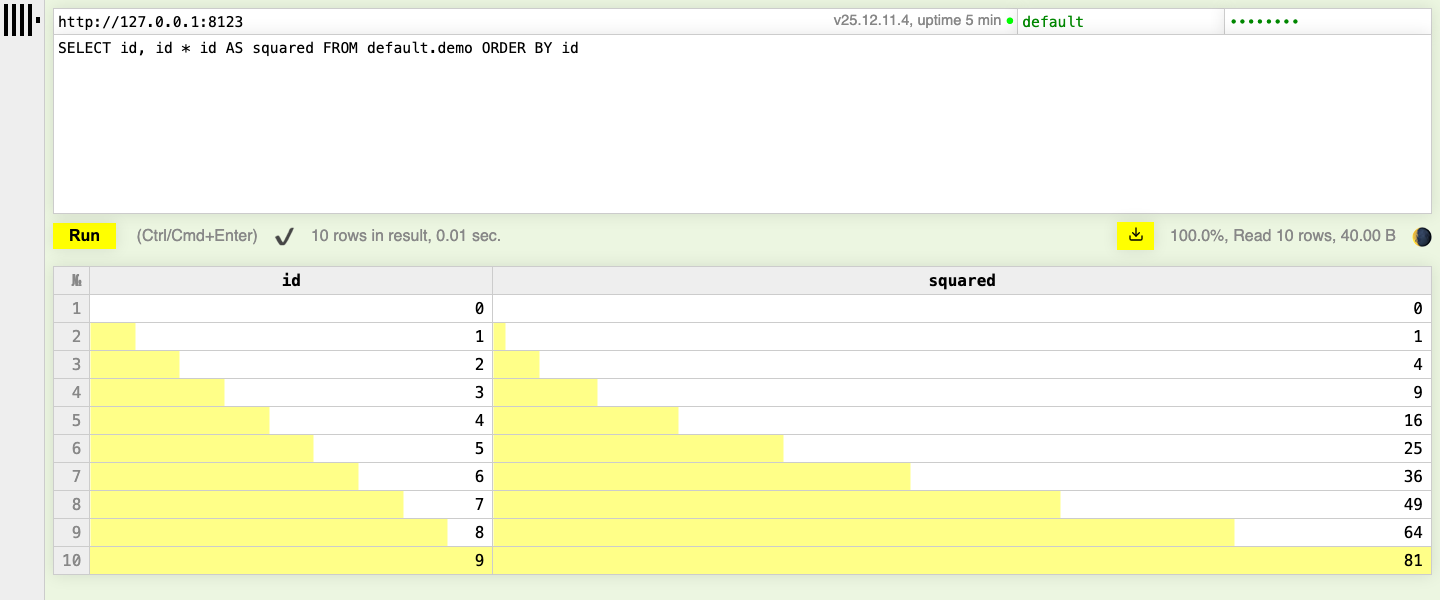
ClickHouse also serves a query page at http://127.0.0.1:8123/play. Enter default and password in the top right, write a query and press Run.
Replicate Across the Cluster
In ch-full, {cluster} names odctl_cluster, which has two shards of two replicas. A table created ON CLUSTER with ReplicatedMergeTree is created on all four servers, and Keeper keeps the two replicas of each shard in step:
The CREATE prints one line for each of the four servers, with status 0 for success. ch-12, the other replica of shard 1, returns 50 once replication has caught up. ch-21 returns 0, because shard 2 holds only the rows written to it.
In ch-lite, {cluster} names odctl_single_shard, which holds ch-11 and ch-12 only, so ON CLUSTER statements finish without waiting for the missing shard.
From Another Container
Inside the odctl network, connect to ch-11:8123 over HTTP or ch-11:9000 with the native protocol, with the same users. Trino's clickhouse catalog reads the feature_store database on ch-11, as Trino and Metabase shows.
Runnable Example
Save this file as example.sh and run it with bash example.sh in the folder that holds your .odctl workspace. It runs on ch-lite, where {cluster} holds the two replicas of one shard, and uses tables of its own for each run:
It prints 10, then ch-12 holds 50 rows of with the replicated table's name.