OpenLineage and Marquez
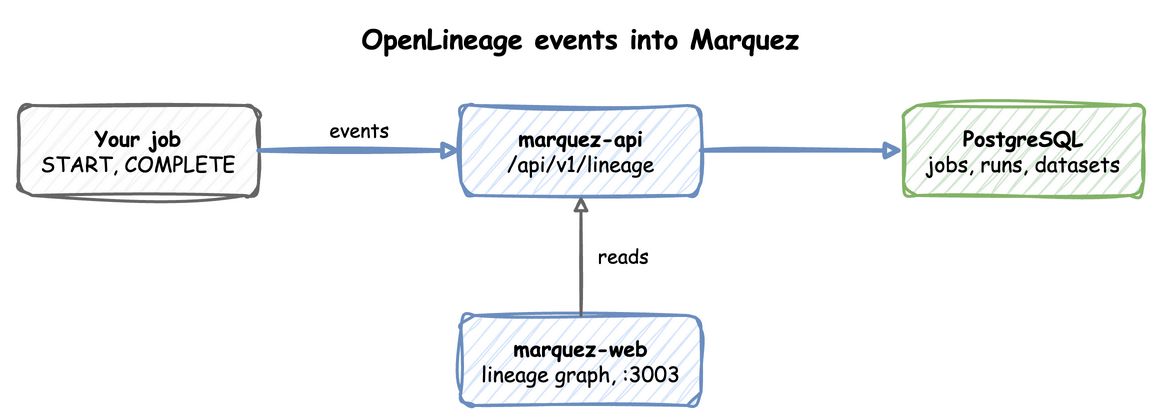
The lineage profile runs Marquez: an API that receives OpenLineage events and keeps jobs, runs and datasets on PostgreSQL, and a web UI that draws the lineage graph. OpenLineage is an open standard for events that say which job read and wrote which datasets in each run. Anything that sends OpenLineage events over HTTP can report to Marquez. The end-to-end tests run the commands below on every release.
This guide builds on Getting Started.
A job sends its events to marquez-api, and marquez-web reads the API to draw the graph:
Start the profile:
| docs/snippets/lineage/commands.sh:up | |
|---|---|
| Endpoint | Address |
|---|---|
| Marquez API from the host | http://127.0.0.1:5002 |
Marquez API inside the odctl network |
http://marquez-api:5000 |
| Lineage graph UI | http://127.0.0.1:3003 |
Send OpenLineage Events
A run is reported as a START event and a COMPLETE event with the same run id. The job reads one dataset and writes another:
The run id is a UUID, as OpenLineage requires. Each request prints nothing when Marquez accepts the event.
Read the Lineage Back
These read the namespaces, the job and the output dataset back from the API:
| docs/snippets/lineage/commands.sh:read | |
|---|---|
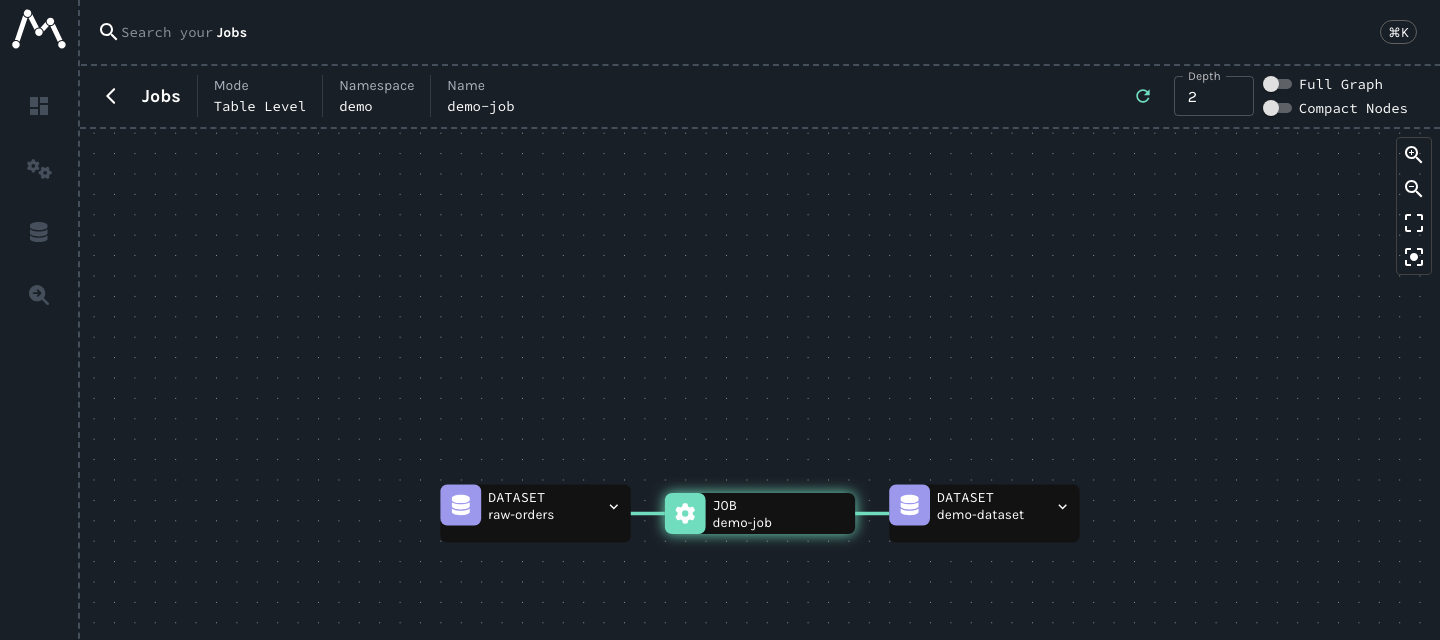
Marquez writes the job, the run and the dataset from the events, so all three read back. The first command lists the namespaces, which include demo. The second returns the job demo-job as JSON, with raw-orders among its inputs, demo-dataset among its outputs and a latestRun in state COMPLETED. The third returns the dataset. The UI shows them under the demo namespace.
The UI draws the job between the datasets it read and wrote:
From Another Container
Inside the odctl network, send events to http://marquez-api:5000/api/v1/lineage. For an OpenLineage client's HTTP transport, set the URL to http://marquez-api:5000, because the transport adds api/v1/lineage by default.
Runnable Example
Save this file as example.sh and run it with bash example.sh in the folder that holds your .odctl workspace. It gives each run a new id, so it reports a new run every time:
It prints the new run's id and COMPLETED.